
Designing effective real estate web applications requires balancing user experience, performance and sales goals. In this article, we share practical insights based on user behavior analysis, covering site structure, navigation, content hierarchy, 3D tours and sales tools. The goal is to help real estate businesses create clearer user journeys that support decision-making and improve conversion.
Introduction
These conclusions come from our real estate website design work and from recording and analyzing real user sessions. The design is user-focused, but the website experience is just one step in a larger sales process. So alongside UI/UX, we include tips on the sales panel and marketing.
Site structure & navigation
Keep navigation structure simple
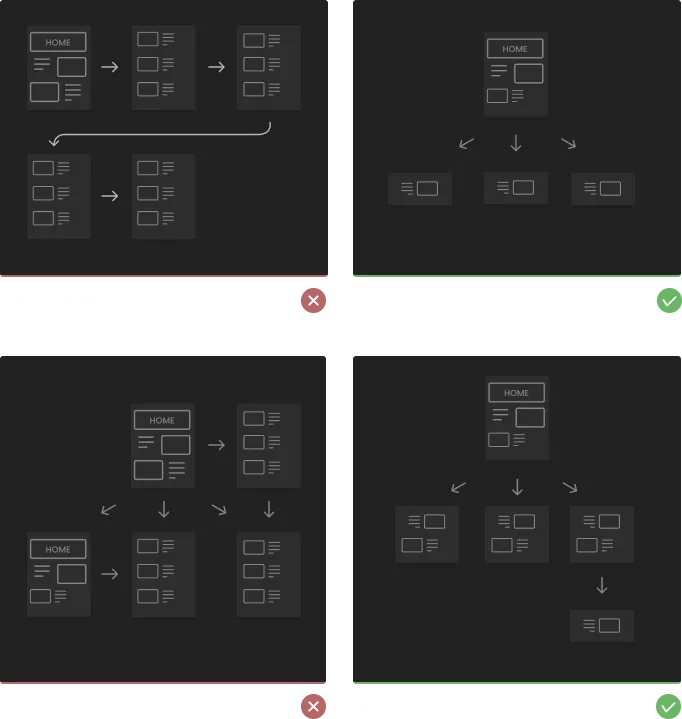
Keep the site structure flat or pyramid-shaped. A shallower structure is more intuitive for users.
Tip - Stick to two levels of navigation at most; it's easier for users to move back and forth without getting lost.
Use popup instead of subpages
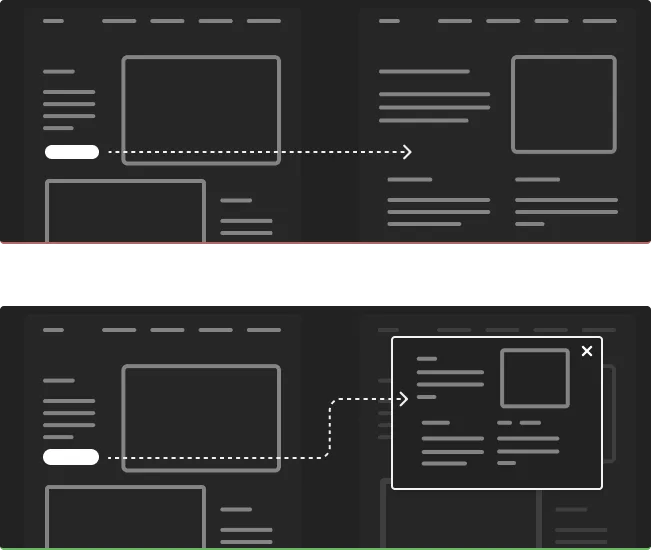
Popups often give better control than extra subpages: a popup closes quickly without the user losing their place.
Tip - keep popup content short so it fits the screen.
Simplify the 3D tour

Make navigating the 3D space easy. Don't overwhelm users with multiple controls; keep a single navigation at each step. Not everyone is comfortable with first-person view. A top-down view with 360 images for each room lets users check every room instantly, skipping long walk-throughs from the entrance.
Tip - full house customization looks great on paper, but heavy customization often leaves users with unfinished projects they never return to.
Keep in mind the steps
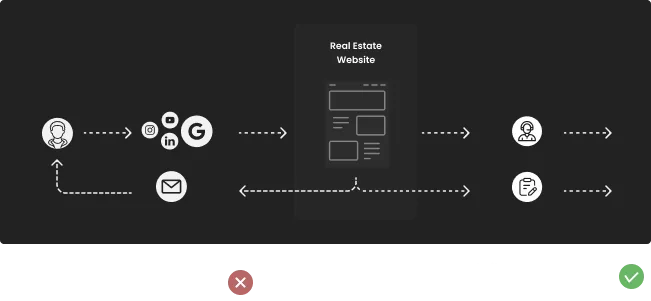
The website is one small step in a larger process. Depending on the sales funnel, your CTA might book a meeting with an agent, a virtual showroom presentation, or the estate itself. Pointing users to the next step improves conversion.
Give different experience to mobile and desktop users
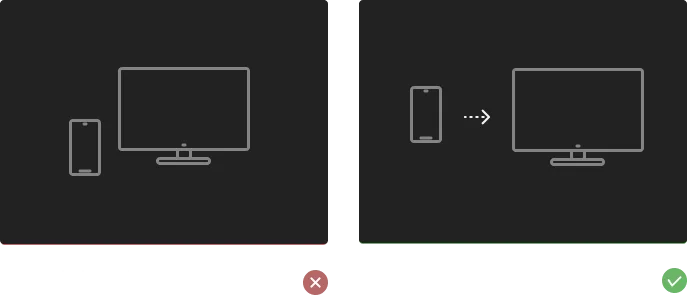
Don't devalue the mobile experience. Most conversions happen on desktop, but many users form their first impression on a phone.
Tip - referral leads are valuable, and people share and receive offers spontaneously, in all kinds of circumstances. Mobile accessibility matters as much as the desktop experience.
Sections order
Share only relevant information
Tip - stick with the most common information hierarchy. What's obvious to you may not be obvious to your users, so avoid overwhelming them with extra information.
Stick with the most common information architecture
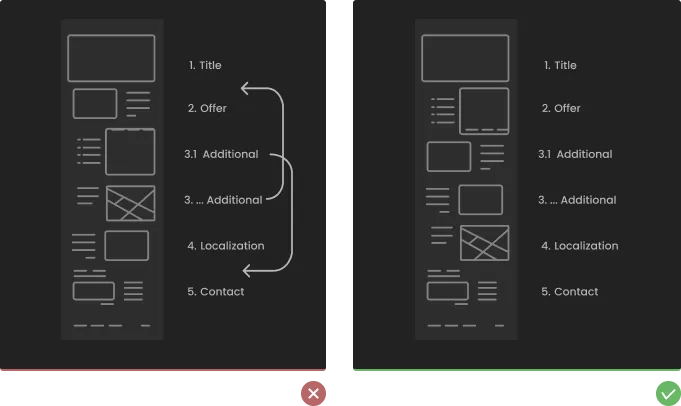
We all fall into a knowledge trap. What's obvious to people who spend their days analyzing an offer isn't obvious to buyers. Fussing over side features easily buries the principal value: the real estate offer itself. Conventions for information order are well settled, and following them makes navigation more intuitive and information easier to absorb.
Tip - details about community, hobbies, and philanthropy can add value but shouldn't overshadow the offer's principal value.
Content creation tips
Title & home

You can make the first impression just once.
- full-screen cover photo - show the best representative image of your real estate
- name of the investment
- type of the investment
- basic localization
Offer
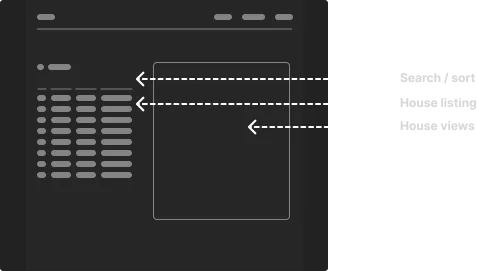
Real estate listings - a well-defined catalog is crucial, whatever the type and number of properties you manage. Depending on how many you offer, add either sorting, or filtering and sorting.
- property names
- property types (residential units like houses and condos, or business properties like commercial and industrial buildings)
- property sizes
- property prices
Move advanced search into a separate tool so users aren't overwhelmed by filtering and sorting options.
Additional information section

Limit yourself to the primary information that matters to your customers and makes you stand out.
- financing conditions
- luxury features
- any other key points that set your investment apart from the competition
If more detail is needed, move it to the blog section or a separate list so it doesn't crowd out the key features.
Localization/map section
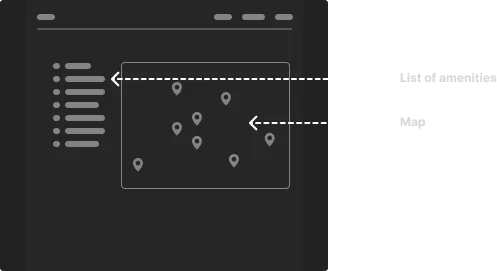
Location is one of the most essential features. Choose the details most relevant to your customer's demographic.
This can include:
- Property location - this is the most crucial point. The exact location of the property should be highlighted on the map, including street names and possibly landmarks nearby for easy understanding.
- Neighborhood details - highlight the nearby residential and commercial areas. This can give potential buyers a brief idea about the neighborhood.
- Amenities and facilities - include icons or markers for nearby schools, hospitals, shopping centers, parks, and other community facilities. This can show potential buyers what amenities are within easy reach.
- Transportation network - show nearby major roads, highways, airports, bus stations, and train stations. This can help potential buyers understand how well-connected the property is.
- Future developments - if there are any planned future developments in the area, like a new shopping mall or a metro station, including these on the map can be beneficial.
- Comparative Market Analysis (CMA) - provide a map-based CMA showing recently sold properties in the area to give potential buyers a sense of the local real estate market.
Contact section
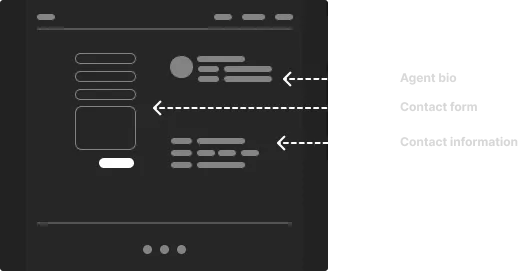
How you approach this depends on how you deliver your services, but always make the next step in your sales process clear.
- Introduce the agent - it's much easier to arrange a meeting when you know a little about the person you'll be talking to.
- Arrange a meeting through the calendar - this saves time and moves both user and agent straight to the house tour step.
- Make the contact form outcome clear - tell users what to expect when they write to you: how long they'll wait for an answer, and whether it comes by phone or email.
Live chat - chat improves conversion further, hooking the potential customer with minimal effort on their side. The downside: you need a well-written chatbot, or someone available to answer questions immediately.
Real estate details section
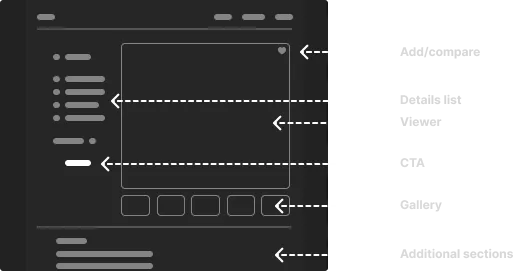
Depending on your property type and user needs, you can reuse some sections from the previous page. The goal is to build knowledge about the product and prompt users to get in touch; since most users compare several offers, give them both options.
- Real estate details - number, real estate size, plot size number, construction date
- List of rooms with sizes, number of floors, development finishing standard, media & amenities
- Prospect in the PDF file - many users and agents need a simplified offer for the investment
- House gallery - outside views of the building, interior views, placement of the investment on plot or relation to other estates, floor plans
- Add to favorite/compare option
Advanced search
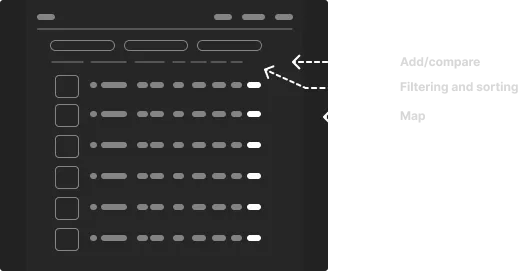
- Property type - House, condo, apartment, villa, commercial, etc.
- The number of bedrooms and bathrooms - give potential clients the option to choose a minimum number of desirable bedrooms and bathrooms.
- Garden or outside space - allow potential clients to filter properties with outdoor spaces.
- Budget will always be a significant factor in clients' decisions, so help them narrow choices to what they can afford.
- Area or neighborhood - a prospective buyer will often want to live in a particular area (or close to it), so allow them to search by area, too.
- House/lot area - space can often be another critical interior and exterior factor, so adding this can be a big help.
- Luxury features can include things like a swimming pool, BBQ area, or particular amenities in a condo building.
Most agencies list many properties at once. A simple rent/buy or house/condo split may be enough for basic search, but most buyers and renters want specific features. Advanced search lets them narrow a long list down to a manageable shortlist.
Management system/sales panel
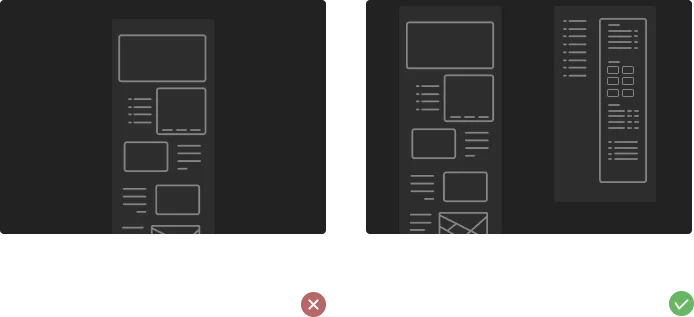
A dedicated sales panel makes agents more efficient by centralizing everything, from property listings to client management, in one place. It streamlines communication with prospects and existing clients for stronger relationships and faster responses, and it connects to platforms like MLS and CRM for a smoother workflow.
- Property listings - the sales panel should have a database to list all available properties with detailed information such as location, price, property type, number of bedrooms, bathrooms, etc. It should also include high-quality photographs and videos of the properties.
- Client management - a vital feature of the sales panel is the ability to manage clients' information. This includes contact information, property preferences, budget, etc.
- Alerts and notifications - the panel should have a feature that sends alerts and notifications about new property listings, price changes, or other updates to clients based on their preferences.
- Lead generation and management - the system should support lead generation through various channels and manage these leads effectively, including tracking communication, follow-ups, and conversions.
- Analytics and reporting - the panel should include a robust reporting system that provides insights into sales trends, client preferences, successful marketing strategies, etc.
- Scheduling and calendar - this feature would enable the agent to schedule viewings, meetings, follow-ups, and other tasks and have them all in one place.
- Document management - the ability to upload, store, and manage important documents such as contracts, agreements, disclosure forms, etc.
- Task management - a feature allowing the agent to track all their tasks and progress. This includes tracking potential deals, client interactions, and other day-to-day tasks.
- Communication tools - the panel should include built-in tools like email, messaging, or chat to facilitate accessible client communication.
- Mobile accessibility - the panel should be accessible on mobile devices so agents can work on the go.
- Integration capabilities - the panel should be capable of integrating with other software or platforms such as MLS, CRM, email marketing, social media, etc.
- Customization - the ability to customize the panel based on the agent's specific needs and preferences.
- Secure and compliant - the panel should meet all the security standards and regulatory compliance requirements to protect the agents' and clients' information.
Performance & accessibility
Slow loading time
Large, poorly compressed images and videos slow a landing page down. Most users decide whether they've found something worthwhile within the first 3 seconds, and many will leave once those seconds pass.
Tip: 4K video looks fantastic but can be hard to load on mobile. Keep image and video compression at the right level.
Invest in local PPC campaigns
SEO is time-consuming, and the effects show only after a long time. PPC campaigns (AdWords) win clients faster.
Tip - the main advantage of PPC is that you can target specific regions and types of users.
Conclusions
We've covered the most critical factors in building real estate web apps. A page that works takes more than general graphic-design rules; the tips above add up to a real estate experience that serves your customers.
Click here to learn more about us. If you're interested in real estate web app solutions for your business, contact us.
FAQ
Why is simple navigation so important in real estate websites? Simple navigation reduces cognitive load and helps users quickly find relevant information without getting lost, which improves engagement and conversion.
Should real estate websites use popups instead of subpages? In many cases, yes. Popups help maintain user orientation and allow content to be accessed and closed quickly without disrupting the browsing flow.
How complex should a 3D tour be? 3D tours should be intuitive and easy to use. Overly complex navigation or excessive customization can discourage users and lead to unfinished interactions.
Why is mobile experience critical even if conversions happen on desktop? Many users first discover offers on mobile devices. A poor mobile experience can prevent them from returning later on desktop to complete the conversion.
What information should be prioritized on real estate pages? Core information about the property, location and value should come first. Additional details should support - not overshadow - the main offer.
How does a sales panel support real estate agents? A sales panel centralizes property data, client management, communication, scheduling and analytics, helping agents work more efficiently and respond faster.
Why is performance crucial for real estate landing pages? Slow-loading pages increase bounce rates. Users typically decide whether to stay within the first few seconds, making performance essential.
Is PPC more effective than SEO for real estate marketing? PPC delivers faster results and allows precise targeting, while SEO is a long-term investment. Both can complement each other depending on business goals.


How to Move a Live Property Launch Off a Spreadsheet
Three weeks from launch, new enquiries were going into a spreadsheet tab called new leads 2. Move new leads and current unit data first, let old deals finish where they started, and leave the historical import until later.

AI Property Imagery in 2026: A Trust and Governance Playbook for Developers
A label tells buyers that AI touched an image. It cannot tell your team which design revision supports the image, who approved its claims, where it is live, or how to withdraw it.

How to commission a development flythrough (and what to measure)
A sales director is asked by his board which reservations the launch film brought in, and cannot name one. What a flythrough can actually do, how to commission it so a later design change is one re-rendered shot, and what to measure instead of views.