
We Already Have a CRM: What Syncs and What Stays Separate
Key Takeaways
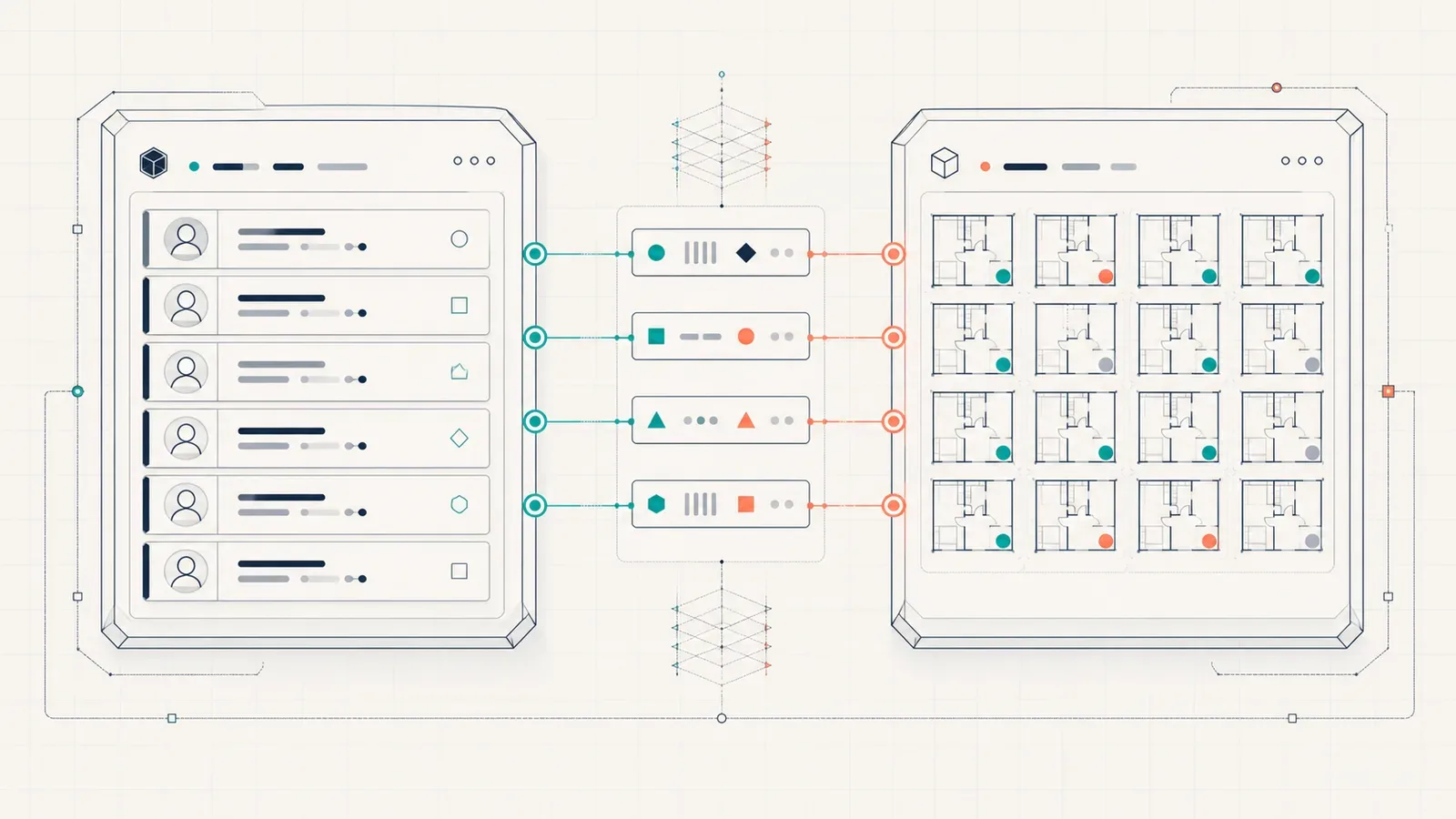
- The CRM owns the person and the launch tool owns the unit. That one boundary clears most of the integration argument before it starts.
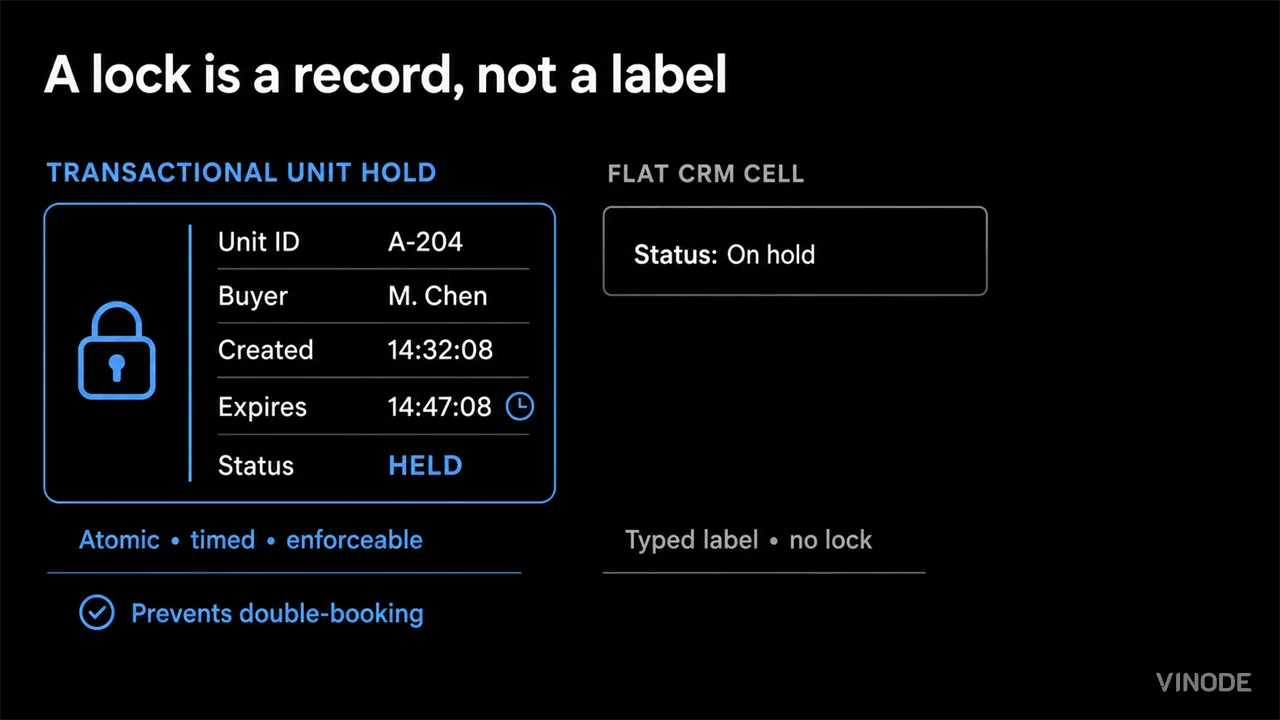
- A generic CRM cannot model a unit as inventory with exclusive holds. Two salespeople can promise the same apartment and nothing stops the second one.
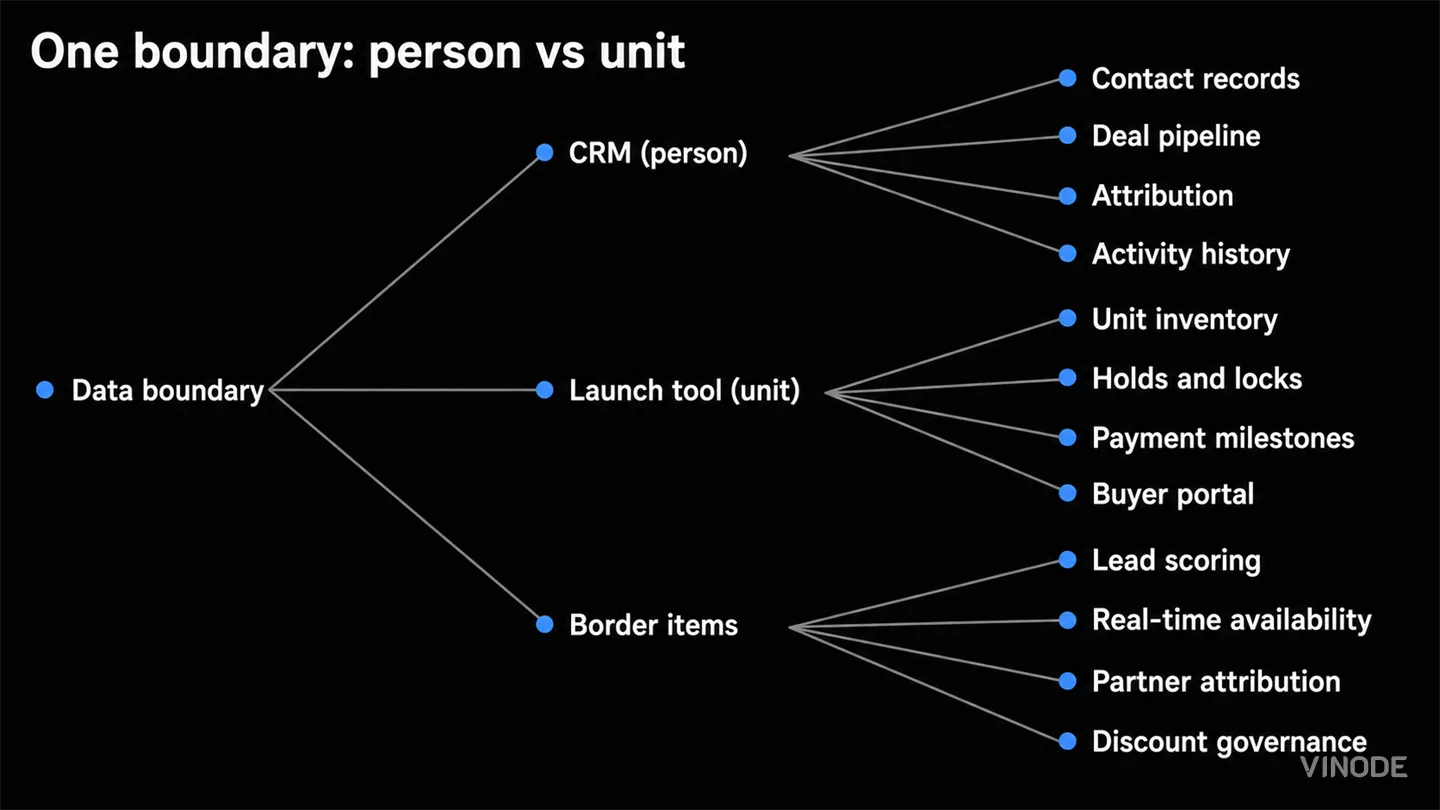
- Lead scoring, availability, partner attribution, and discount approvals sit on the boundary. Each resolves by checking whether the CRM holds the data the item needs.
Two sales agents at a client promised the same apartment to two diffrent buyers on the same Saturday morning, about forty minutes apart. Both had checked the CRM first. Both had seen the deal for that unit sitting at viewing booked with an empty reservation field, because a generic CRM has a field for that and no lock behind it. The sales director rang us on Monday to ask whether she should rip the CRM out and replace it with something built for launches. Her team had used it for six years and liked it.
Neither, was my answer. Keep the CRM and add a launch tool beside it. A CRM tracks a person through a deal and a launch tool tracks a unit through a sale, and the two jobs look similar enough that teams try to make one system do both. The CRM has no concept of an exclusive hold on a unit, and the launch tool has no business owning your contact database.
One rule draws the line. The CRM owns the person: contacts, pipeline, attribution, history. The launch tool owns the unit: availability, holds, milestones, construction progress, the buyer portal. With that line in place, the second agent on a Saturday morning is told the unit is held, by the system, before she has finished her sentence.
Where each piece of data belongs
Stays in the CRM
Contact records, org-wide deal pipeline, first/last-touch attribution, activity and communication history. The single view of the buyer.
Stays in the launch tool
Unit inventory and locking, payment milestones, construction progress, market-specific pipeline stages, discount approvals, 3D analytics, and the buyer portal.
Why a generic CRM cannot model a unit
Modeling a unit as a seperate entity linked to deals and contacts needs a custom-object model. If your CRM does not offer one (and many don't, or lock it behind their highest tier), you cannot build the data structure at all.
Then pipeline stages. A generic CRM comes with no stages at all, so you build every one from scratch for every launch. We provide four market-specific presets (Belgium compromis, Poland developer agreement, EU generic, Saudi off-plan contract), running across eight projects in four countries as of mid-2026.
Lead scoring, availability, attribution, and discounts
Four items sit on the boundary. They come up at every integration meeting. One test resolves all of them: check whether the CRM can see the signal the item depends on.
Lead scoring. The CRM can recieve the label (marketing-qualified, product-qualified, sales-qualified) but cannot compute it. Scoring signals come from the 3D experience: how long a buyer dwelled on a specific unit, how many configurator options they tried, how far they got toward reservation. We capture leads at project level and score them there. The CRM gets the contact and the label, not the computation.
Real-time availability. A dashboard showing which units are free, reserved, or sold has to read from the lock, not a synced copy. If a salesperson acts on stale data, the double-booking problem comes back.
Channel partner attribution. When a broker and an internal rep both touch the same buyer, the question is who saw the lead first. If the lead entered through a partner-specific page in the 3D experience, the launch tool captured the source before the CRM knew the person existed.
Discount governance. A generic CRM does not hold construction cost or payment schedule data, so it cannot compute margin. A salesperson can approve a discount on a unit whose margin is already below threshold and nobody catches it until the quarterly review. If your CRM already runs approval routing and can see unit-level margin, keep discounts there. Most can't.
When one system is enough
For small launches the keep-or-switch question doesn't come up, because one system handles it. Fewer than ten units, no channel partners, sales team small enough that a reservation is a shout across the room. Use a spreadsheet or the launch tool alone. The two-system boundary pays off when the unit count or the team size makes manual sync unreliable.
Same if your CRM is barely used. Wiring an API to a system nobody opens does not solve the data problem, it moves it.
Reservation sync first, then contact updates
You do not need a new CRM. You do not need to migrate off the one you have. We have a full REST API and an export/import module. No turnkey Salesforce or HubSpot connector. The boundary is the API, and the question for each field is which direction it flows.
Build the first integration that removes the most manual re-entry. Usually that means syncing reservation events and lead labels into the CRM so your salesperson sees pipeline changes without switching tabs. Second: sync contact updates back so the lead record doesn't go stale. Everything else waits until you know which border items actually cost you time.
See how the boundary works in practice
We will walk you through the data map for your CRM and your project.

The Unit-Specific PDF a Buyer Actually Asked For
A buyer spends nineteen minutes on one two-bed, saves it, and gets the forty-one-page development brochure the next morning. Once a sales platform records the unit a buyer chose, the generic brochure becomes a decision to ignore that choice.

Expression of interest before release day: capture unit demand
640 names and no idea which side of the building they want. An expression of interest campaign pays off when the form is joined to the units each buyer explored, and each of these checks has a pass, a fail and a cost.

We measured when a pipeline crosses the presale line, not just whether it will
When GTHA opening-quarter absorption averaged 66%, the sold percentage was enough to forecast a presale crossing date. Then absorption fell to 17%. Three pipeline inputs produce the crossing date your lender asks for: stage-conversion rates, a cancellation haircut, and remaining inventory.