
One Development, Four Audiences: What Each One Needs
Key Takeaways
- Four audience views can read the same unit record, and the extra work sits in field population, access rules and documents.
- Brokers use a developer's portal when it replaces their spreadsheet: live availability and timestamped lead registration instead of emailed PDFs and disputed claims.
- An investor and an owner-occupier look at the same unit and need different data from it: location context and financial attributes, or interior tours and finish switching.
- A live interface can hide an empty or stale field, so each audience view needs a named data owner.
A sales director at a client with an investor-heavy scheme forwarded me an email chain, seven messages long, in which his own team had given one investor three different service charge figures for the same two-bed over four days. The first came from the brochure PDF, which was two price revisions old. The second was typed from memory by a sales advisor who was sure he remembered it. The third was right, and came out of the CRM, after the investor's accountant asked which of the first two she should use. The owner-occupier site for the same scheme had been live for a year without producing anything like this, because owner-occupiers do not ask about service charges that way, and the site did not show them.
One development can serve owner-occupiers, investors, brokers and approval committees without four builds and without four sets of materials. What changes between one audience and four is which fields, documents and actions each audience can reach, and who keeps each of those current. The building, the unit record and the 3D model stay the same.
The one path that worked, and the three that ran on email
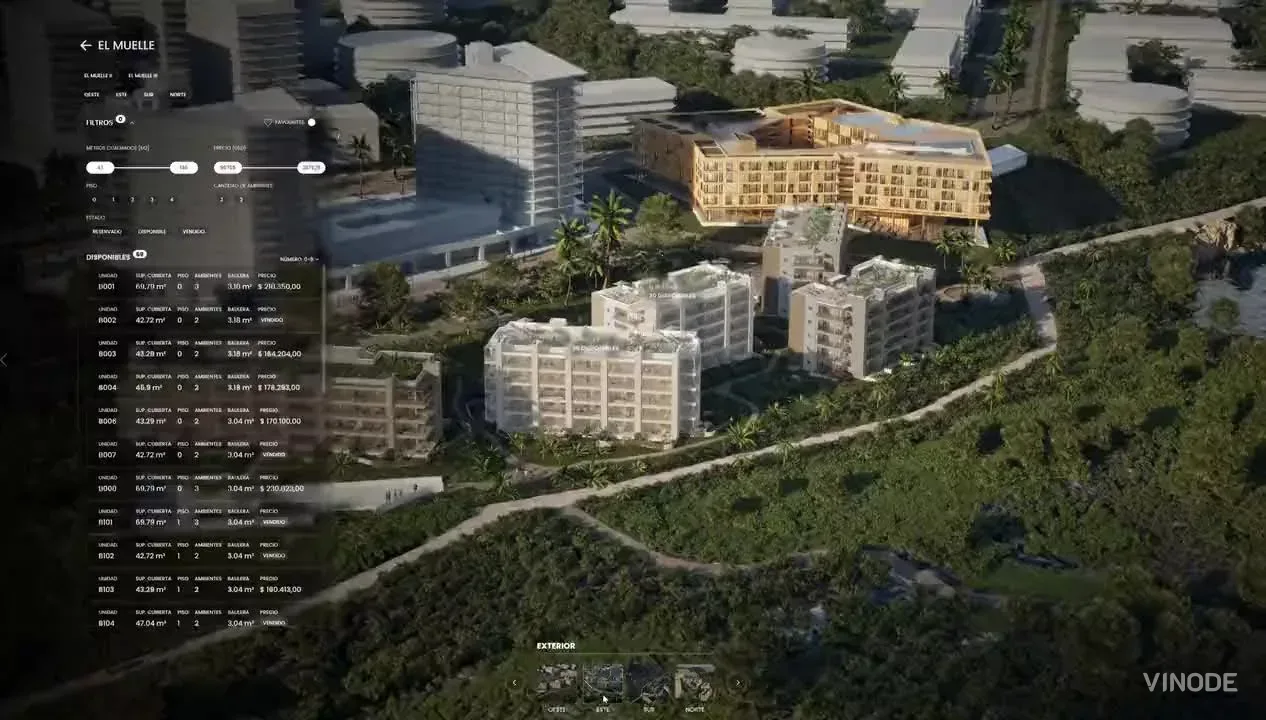
An owner-occupier opens the development, walks into an apartment, switches the interior style, checks the floor plan and sends an enquiry. Sales gets a buyer who can name a unit instead of asking about the project in general. That is a sensible place to start and there is nothing broken in it. The CMS holds the unit data, filters narrow the list, the 3D model links the masterplan to the apartment, and a brochure carries the result out of the browser.
The other three audiences had working routes too, just not on the site. An investor got a brochure and a phone call about the area. A broker got a stock list, registered an introduction by email, and checked commission terms with whoever answered the phone. An investment committee got a repurposed sales pack to circulate. At low volume a careful coordinator kept those routes aligned, and for a small scheme handled by one team that was the rational choice, because four configured access patterns would have added fields, permissions and review work the project could avoid. The cost was manual attention, and every copy was another place where a price, a status or a service charge could drift. The seven-email chain is what that cost looks like once the volume goes up.
Four views of one record
The after state uses the same assets. One 3D model, one inventory, documents drawn from that inventory. Each person sees a different slice of it and may do different things next. The existing CMS fields, filters, document categories and access controls divide one development into four useful views, and the added work is defining, filling and maintaining those views. Investor fields do not fill themselves, commission rules need decisions, and committee documents need templates. The unit itself is not rebuilt for anyone.
One record, four useful views
Owner-occupier
Interior tour, floor plan, finish choices, current price, and availability support a personal home decision.
Investor
Location context, orientation, delivery state, unit cost, service charges, and other developer-supplied facts support a financial review.
Broker
Live availability, lead registration, agency terms, and commission status support a sale the developer does not handle alone.
Approval committee
A controlled comparison document and a clear approval trail support circulation, verification, and sign-off.
Investors start above the district
For an investor the first useful change is often the entry point. An owner-occupier may start inside a living room. A remote investor starts above the district. Safa Al Fursan in Riyadh makes the difference concrete: 528 units across 25 buildings, with the surrounding masterplan visible from the wide view, so the same model answers where a home sits and what surrounds an asset, and each audience follows its own facts through it.
The data layer changes too. Vinode can carry custom unit attributes, so a developer can add financial facts such as price per square metre or service charges and expose them through filters. Strictly speaking, the platform displays facts the developer supplied. It does not calculate rental yield, cap rate or return on investment, and I think that boundary makes the data more trustworthy when it is stated early. A sales platform should refuse to turn an assumption into a forecast just because a filter could display the result.
Orientation is a good example of a field that changes meaning with the reader. A home buyer reads south-facing as afternoon light on the balcony. An investor reads the same direction as an input to rental demand or resale position. The value did not change, the decision around it did, and that is the case for one shared field serving both views with no second copy for anyone to maintain.
Live availability replaces the emailed stock list
The broker view makes the same principle operational. Sales changes a unit from available to reserved on a Tuesday. A stock list emailed on Monday stays wrong until someone replaces it, while a portal that reads the current unit record changes with the source. One edit reaches the buyer-facing page and the agency view together. That removes the drift. It does not remove the need for somebody to make the edit, and to make it correctly.
Lead registration, commission and the line between agencies
A broker portal earns its login when it replaces a spreadsheet, an attribution email and a commission chase in one visit, and live availability on its own does not do that. The broker also needs proof that an introduction was registered. Vinode's partner portal lets an agent submit a lead registration that the developer can approve, reject or extend, and that timestamped record is what both sides reach for when a buyer later contacts the developer directly and the agency says the introduction was theirs. It cannot settle every contractual dispute, but it gives the decision a record instead of two memories.
Commission needs the same precision. A percentage is one part of the rule. Vinode also stores the basis, which can be list price, net of discount, or net excluding VAT, and the trigger, which can be reservation, deed or handover. Two agencies can agree the rate and still disagree about the amount or the moment it falls due, and a portal that hides basis and trigger behind one commission number has moved the argument rather than ended it.
Agency isolation belongs here as well. Each agency sees its own leads, pipeline, messages and commission records, and another agency's buyers and terms stay private. The inventory is shared. The commercial relationships around it are kept apart.
Comparison documents for committee circulation
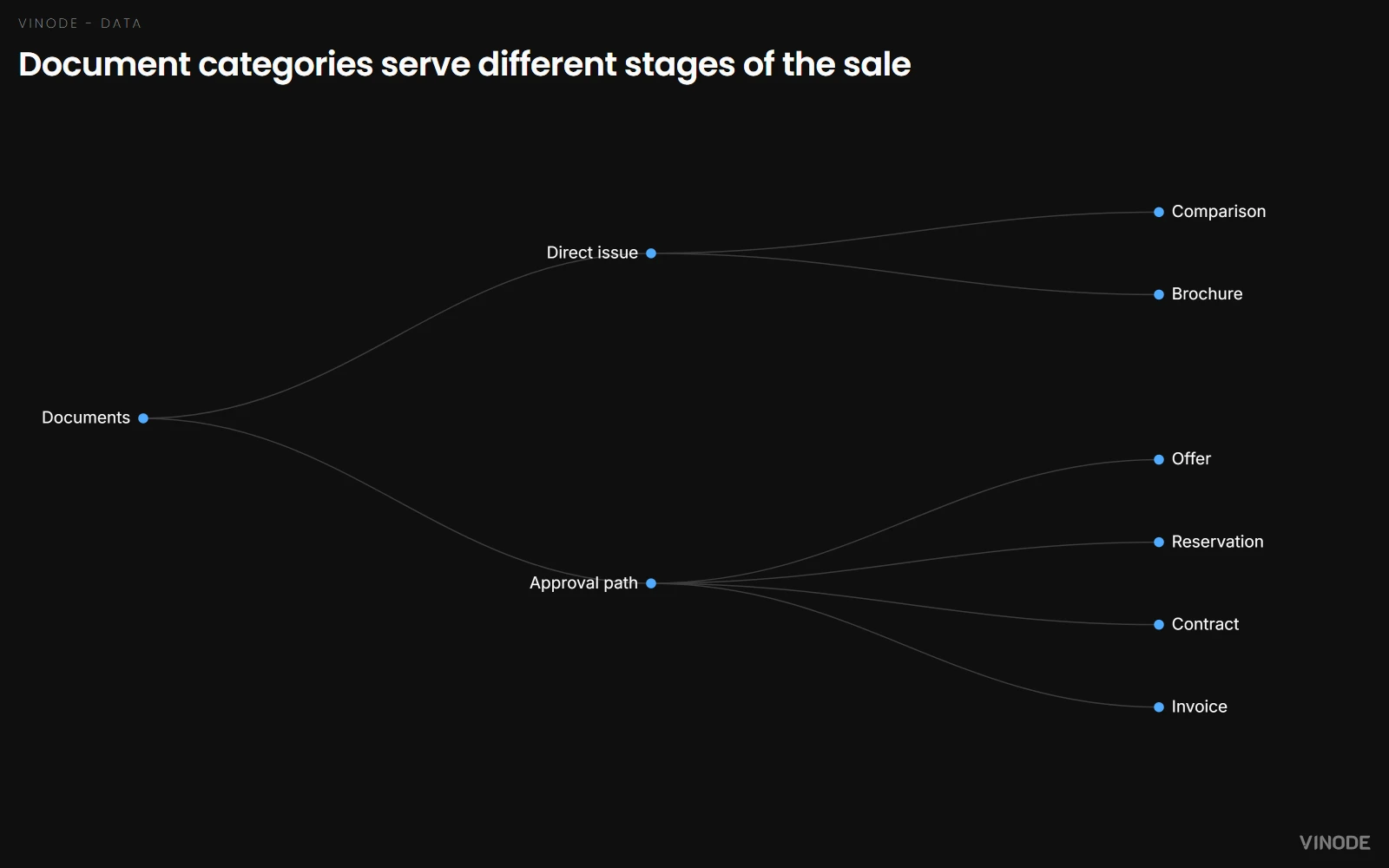
The committee view is the quietest. It needs a packet that survives forwarding, comparison and approval rather than another tour. Vinode's document system separates Comparison from Brochure, Offer, Reservation, Contract and Invoice. A comparison can be issued directly, while commercial documents such as offers and contracts go through an approval path before issue.
Comparison is a document category, and how useful it is depends on the developer's template and on which fields the unit record can supply. We have not verified a universal side-by-side committee layout, so start from the committee's own decision columns and check that the unit record can fill each one.
Title documents, environmental reports and legal due diligence belong in systems built for those records. Vinode presents the development and supports the sale. It does not replace due diligence, and a committee that expects it to will find that out at the worst moment.
Four views, one set of content
Counting each audience view as new content makes the job look bigger than it is. The building geometry, unit IDs, base prices, availability states, floor plans and core documents stay shared, and a status shown on the buyer page and in the agency portal is still one maintained fact when both read the same record.
The real additions are narrower. Investor attributes need definitions, owners and values. Broker access needs agency records, permissions, lead registration rules and commission terms. Committee output needs a document template and an approval policy. Someone has to configure, review and maintain each of those, and it is worth writing that person's name down before you switch the view on. If four views read one field, the system gained reach without multiplying maintenance. If each audience has its own copied price, status or unit label, you still have four systems wearing one design, and the seven-email chain is only a matter of time.
A small local project with one coordinator may be better served by a clear buyer site, a current PDF, and direct calls. Add audience views only when investors, agencies, or committees create repeated work that the shared record can remove.
Empty fields are harder to spot than stale PDFs
What got worse is the data surface. Before, an empty orientation field might never matter, because the owner-occupier path led with rooms and floor plans. After, that blank can break an investor filter across many units at once. A stale PDF announces its age in a filename or an email thread. A stale field can look current because the interface around it is live, and of the two that is the more dangerous.
Access rules add their own failure mode. Give a broker too little and the portal becomes one more login beside the spreadsheet. Give an agency too much and one commercial relationship leaks into another. The platform creates consistency only where the team has defined the data and the ownership behind it.
The decision, then, is when to add a view. Keep the development, the unit records and the core assets shared, and add an audience only when you can name the missing fields, the access boundary, the document and the person who keeps each of them current. If those answers are vague, stay with the working owner-occupier system for now. If they are clear, configure the next view and give every added field, rule and document an owner. That maintenance duty is the price of one product instead of four, and it is a good price.
Plan one development around every sales audience
Show us the buyer, investor, broker, and approval paths you need. We will scope the fields, access, documents, and 3D experience as a custom quote.

What a build-to-rent unit selector actually costs
The build is one invoice. Filters, sub-types, pre-leasing, channel sync and a status model with no way back from sold add costs that recur at every turnover for the life of the building. The largest is the void day, and it appears on no invoice.

What a 360 tour proves when a development doesn't sell interiors
A shell-and-core buyer checks ceiling height, column grid, window placement, orientation and riser access. The tour has to prove those five, and a render made from the architect's model does it with no lens in the way.
The Unit-Specific PDF a Buyer Actually Asked For
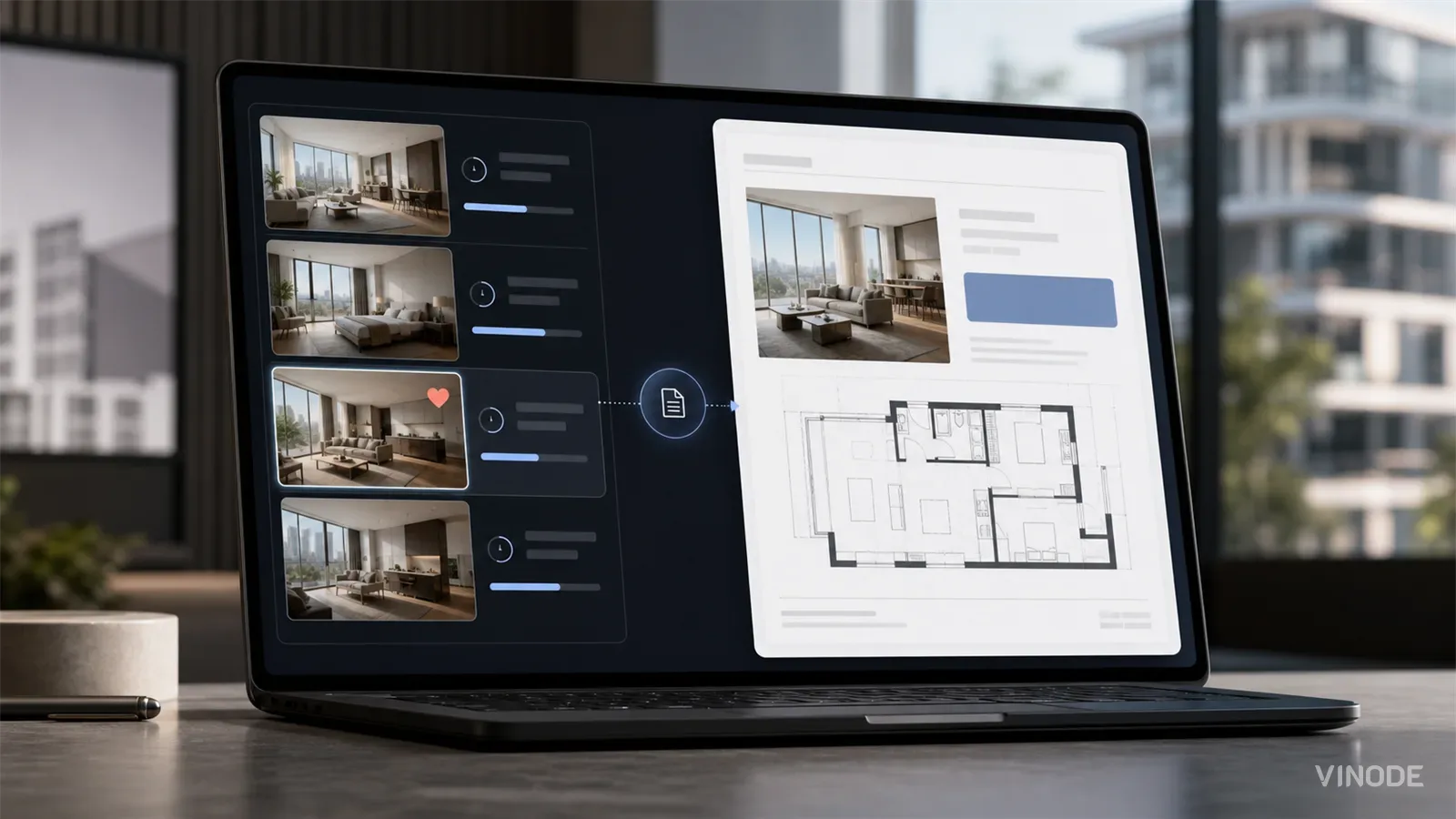
A buyer spends nineteen minutes on one two-bed, saves it, and gets the forty-one-page development brochure the next morning. Once a sales platform records the unit a buyer chose, the generic brochure becomes a decision to ignore that choice.