
Technical Vinode Updates for Better Performance
Here's a summary of our latest technical updates to Vinode.
These updates focus on improving performance, usability and cross-device compatibility. Below we cover recent enhancements across the CRM, CMS, UI, 3D layers and browser support, and how continuous development translates into a smoother experience and more effective real estate presentations.
Back Panel
- CRM
HubSpot integration - we've added HubSpot integration to our CRM, so client data now flows straight into your HubSpot account.
- CMS
Gallery - additional images for units in the CMS panel.
Prospects - new prospects for units in the CMS panel.
Layer System
- Unreal Layer/Video Player
iOS Safari support - we've added full support for Apple WebKit browsers.
Section scroll - scrolling up and down now plays the video transition seamlessly in both directions, while UI animations stay fixed to conventional scrolling.
iOS in-app browser bug - in-app browsers on LinkedIn, Instagram and similar apps struggle to play video clips. While we investigate, we've added a temporary pop-up telling users to switch to the device's native browser.
- 3D Interactive Layer
Responsive 3D Canvas - a Three.js-based overlay for 3D UI that aligns with the Unreal Layer across different resolutions.
- UI Layer
Unit Focus View - when a unit is selected, we lock scrolling and focus the web app on that unit.
UI Animations - smooth animations for transitions between sections.
We put strong emphasis on continuous development, keeping our solution high in quality and adaptable to any device.
Interested in collaborating? Reach out via our contact details, and visit the Vinode site for more on our services.
FAQ
What is the purpose of the latest Vinode technical updates? They improve performance, usability, stability and cross-device compatibility, giving both users and administrators a smoother experience.
How does HubSpot integration improve CRM functionality? Client data collected in Vinode transfers automatically to HubSpot, streamlining lead management and sales workflows.
Why is iOS Safari support important? Apple WebKit browsers require specific optimizations. Full iOS Safari support ensures consistent performance and proper video playback on Apple devices.
What problem do in-app browsers present? In-app browsers on platforms like LinkedIn or Instagram may restrict video playback. A temporary prompt asks users to switch to the native browser for full functionality.
How does the Responsive 3D Canvas improve user experience? It keeps 3D UI elements correctly adapted to different screen resolutions while staying visually aligned with Unreal-based content.
What benefits do new UI animations and focus views provide? They improve clarity, reduce distraction and guide users more effectively through unit selection and navigation in the web app.


How to Move a Live Property Launch Off a Spreadsheet
Three weeks from launch, new enquiries were going into a spreadsheet tab called new leads 2. Move new leads and current unit data first, let old deals finish where they started, and leave the historical import until later.
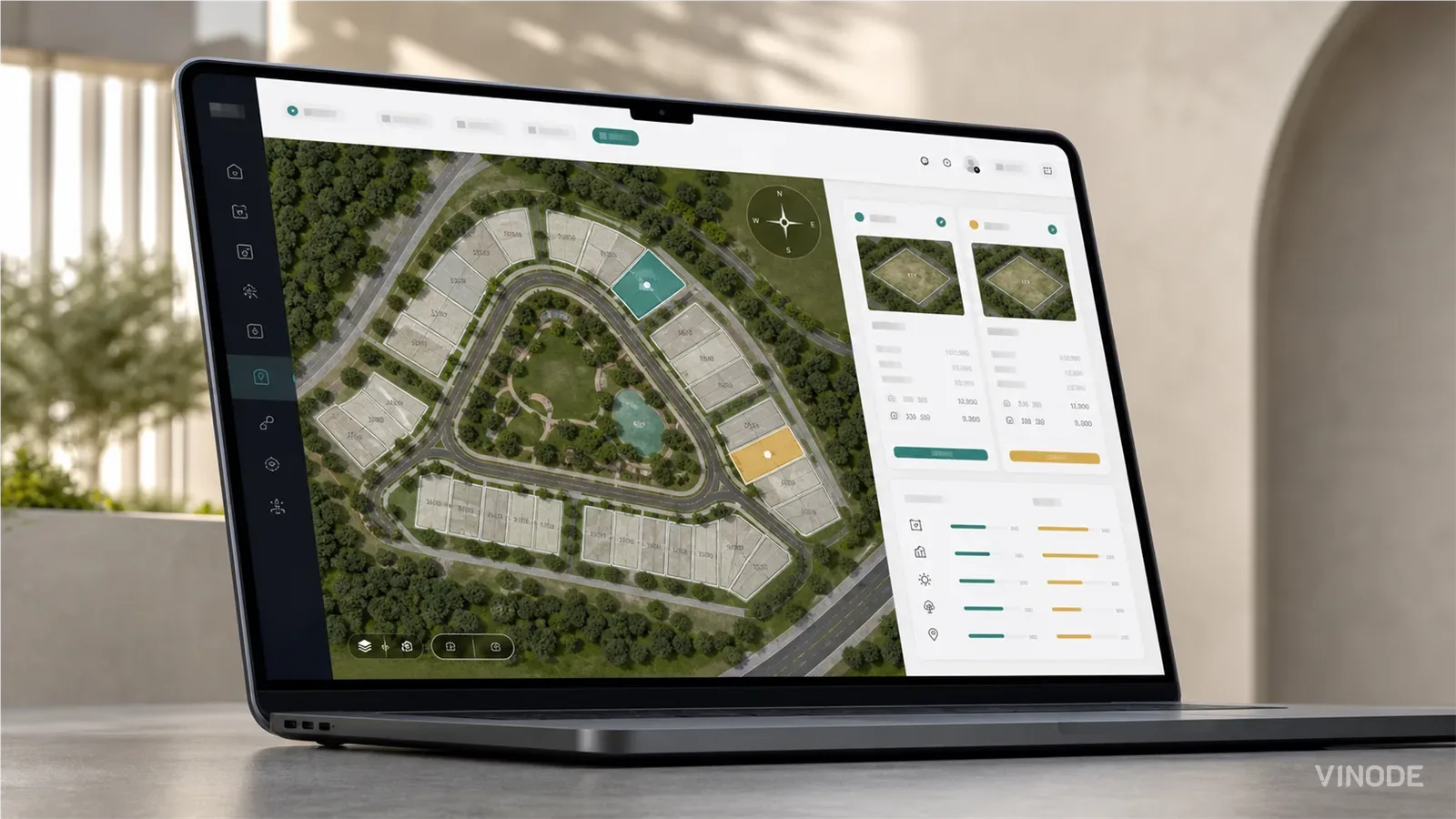
How buyers pick a plot on a housing development they have never walked on
On a six-house estate a clickable plot map does the whole job. On a varied estate the buyer still calls to ask which way the garden faces and what is behind the fence. What a plot finder has to show so that call becomes a reservation, and who at the developer keeps it current.

What is interactive 3D for real estate? A plain-English explainer
Four links in one email, all called the 3D tour: a video walkthrough, a photo-scan tour, a static render and interactive 3D. Who steers the camera, and whether the units underneath are still current, is how you tell them apart.