
Pixel streaming vs pre-rendered 3D: the cost decision, not the quality one
Key Takeaways
- Both pixel streaming and pre-rendered 3D can look photorealistic, so the real decision is cost structure, not image quality.
- Pixel streaming runs a live cloud GPU per concurrent viewer, so the bill peaks on launch day when traffic surges.
- Pre-rendering is a one-time production cost served from a CDN, so the fiftieth launch-day viewer costs about what the first did.
- Pre-render when the buyer picks from a finite, known set of options, and reserve pixel streaming for genuinely unbounded interaction.
Picture the morning your project goes on sale. The email goes out, the ad spend switches on, and within an hour fifty prospective buyers open your interactive 3D tour at the same time. That surge is the entire point of a launch. It is also the exact moment the two ways of delivering that tour start behaving very differently, and the difference lands on an invoice rather than on screen.
The question most teams ask first is which looks better, real-time pixel streaming or pre-rendered 3D. It is the wrong place to start, because both can look photorealistic on a decent screen. The question that actually sets your budget is quieter: which column does your money live in, one-time production or recurring per-viewer?
Same Unreal scene, rendered live or rendered in advance
Both models usually run on the same software. Pixel streaming keeps an Unreal Engine scene running live on a cloud GPU and streams the rendered frames to the browser like a video call; every click and camera move round-trips to that server. Pre-rendering runs the same kind of scene (Unreal, or Maya, Cinema 4D, Blender) once, ahead of time, then serves the baked result plus a light interactive layer from a CDN, the way any website ships a video. What separates the two is timing: whether the frames are computed while the buyer watches or long before they arrive.
That difference undercuts the lazy framing that streaming is the premium option and pre-rendering is the budget compromise. Vinode's own sales-gallery kiosk is built to pixel-stream when that is the right tool, and pre-rendering is a deliberate default chosen for reach and cost.
How each one is billed
Pixel streaming (real-time)
You pay as people watch: one live cloud GPU behind every viewer on screen at once, metered by the hour. The total grows with traffic and session length, and you provision for the busiest moment rather than the average one.
Pre-rendered, then streamed
You pay once, up front. After the build, serving is near-static-website economics. One more viewer is nearly free, on launch day or any other day.
What fifty simultaneous buyers do to each model
Here is the part vendor comparisons rarely mention. The two models fail in opposite directions under load, and pixel streaming fails at precisely the moment you most want it to hold.
Go back to those fifty simultaneous buyers on launch morning. With pixel streaming, each concurrent viewer needs a live GPU instance. Microsoft's reference architecture for running Unreal pixel streaming at scale defaults to one Unreal instance per GPU, and to keep new arrivals from waiting it holds a buffer of idle streams warm and ready (Microsoft - Unreal Pixel Streaming at Scale in Azure). That leaves two horns, both of them costly. Pre-warm a fleet of GPUs and you pay for that idle capacity whether or not the buyers arrive. Skip the buffer to save the money and, in Microsoft's own words, users 'stack up waiting for an available stream.' Your most expensive infrastructure hour and your worst user experience both arrive on your best sales day.
Pre-rendering behaves the opposite way. The fiftieth viewer is served the same CDN video as the first, so the cost per viewer keeps falling as traffic climbs, which is exactly why serving millions is easier to host than serving thousands, and the busier the launch, the better that arithmetic looks. Very little vendor content says this out loud, largely because the companies publishing it earn their revenue from that per-stream-hour column.
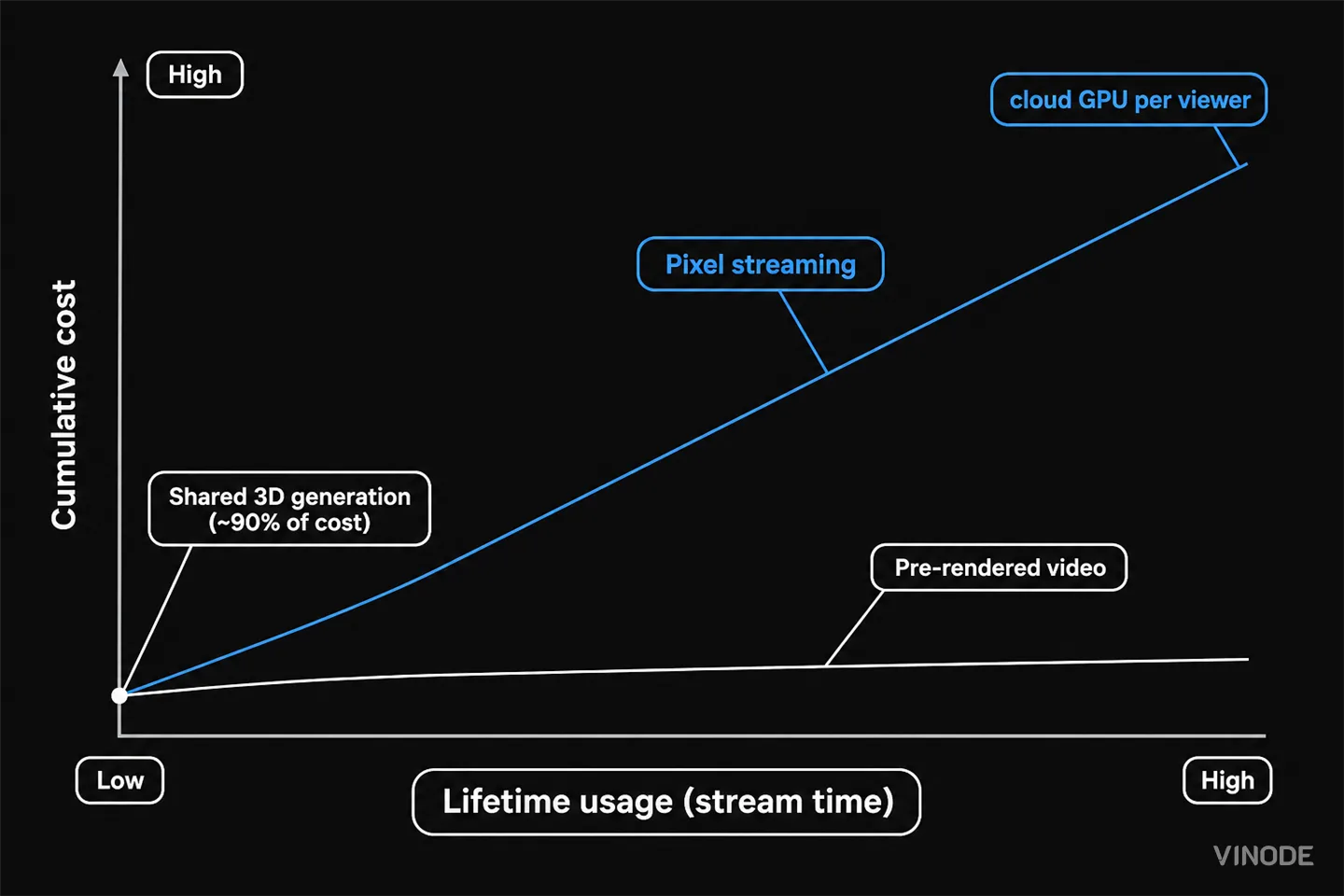
What the pixel-streaming bill adds up to: GPU hours, bandwidth, idle buffer
The unit prices are public if you go looking: a cloud GPU is billed by the hour (Google Cloud GPU pricing), on top of the virtual machine it attaches to, the video encoding, and the outbound bandwidth. Rates vary by GPU model and region, so budget against the live page rather than a number quoted in a blog post. The shape of the bill is what matters: a GPU running for every viewer on the page at once, for every hour they browse, plus the warm idle buffer you keep so nobody queues. A quiet Tuesday is cheap. A launch, a paid campaign, or an overseas buyer who leaves the tab open all afternoon is where the meter runs.
You can soften it. Packing several lightweight streams onto one GPU lowers the per-viewer cost, but it trades against scene complexity and quality; the same Microsoft architecture notes that how many streams a GPU can hold depends on how heavy the 3D app is. So the lever that makes pixel streaming cheaper is also the one that makes it look less impressive, an awkward trade for a premium property.
Put one blunt question to any interactive-3D vendor: does the price end when the build ships, or does it recur with every concurrent viewer and every hour they watch? Model the recurring answer against your expected launch-day concurrency, not your average traffic. One caveat cuts both ways on the numbers: a pre-rendered build is billed once at production, not as hosting or a per-viewer rate, and any third-party GPU or streaming figure you find is directional and region-dependent. Confirm current figures before you commit them to a spreadsheet.
The show flat, the mid-range phone, the launch-day wifi
Cost is only half of it. Because pixel streaming ships real-time video of the render, continuously, it needs a stable, video-call-grade connection for the whole session. Encoding each frame and pushing it over the network also adds latency and can cost frames against what the GPU actually rendered. On a fast, quiet connection this is invisible. On congested launch-day wifi in a sales gallery, or a buyer's mid-range phone on patchy mobile data, it is exactly where the experience frays.
Pre-rendering was built for those conditions. Vinode's pages load in around two seconds, run on low-powered and older phones, and in kiosk mode run offline entirely. At Safa Al Fursan in Riyadh, an offline kiosk lets advisers fly over a 67,000 m² development of 528 units without a dropped frame. This piece is the cost-and-scale companion to an earlier one about device reach and load time; if the device argument is what you are after, read why pre-rendered 3D beats real-time, then come back for the money.
The whole 3D world in the browser, with no app or download for the buyer, and the same scene runs offline in the sales office.
When pixel streaming is the right call
A post that only sold one side would be vendor slop in reverse, so here is where pixel streaming genuinely wins. Some interactions cannot be pre-baked because the buyer's choices are effectively infinite: dragging walls around freely, combining materials and layouts in permutations no one can enumerate ahead of time, or a live collaborative design review where several people steer one scene at once. That is real-time's home turf, and the recurring GPU cost is the honest price of interaction that genuinely has no bottom.
Most residential sales are not like that. River Residence lets buyers switch interior styles and configure parking, kitchen finishes, and financing, and Vinode delivers all of it on the pre-rendered model, because each of those choices comes from a set you can list in advance and bake. Interaction that feels live rarely needs a GPU running live behind it. Save that expense for the cases where the options really are unbounded.
If your buyers pick from a set of options you already know, you should not be paying for a graphics card to run for each of them.
Pre-render by default, and make pixel streaming argue for itself
Stop comparing the two on how they look in a controlled demo, where both win. Compare them on what each one costs after launch and on how the tour behaves the day it actually succeeds. For the overwhelmingly common residential case, a high-traffic sales page, an offline gallery kiosk, buyers on their own phones and imperfect connections, a fixed roster of units and finishes, pre-rendering is the right default, and live pixel streaming is the option you should have to argue for.
Argue for it when the interaction is genuinely unbounded. Everywhere else, pay once to build the experience and let launch-day traffic arrive for almost nothing.
See a pre-rendered tour on your own worst phone
Open a live Vinode project on the least capable device you can find, on the flakiest connection you have. That is the test that matters.

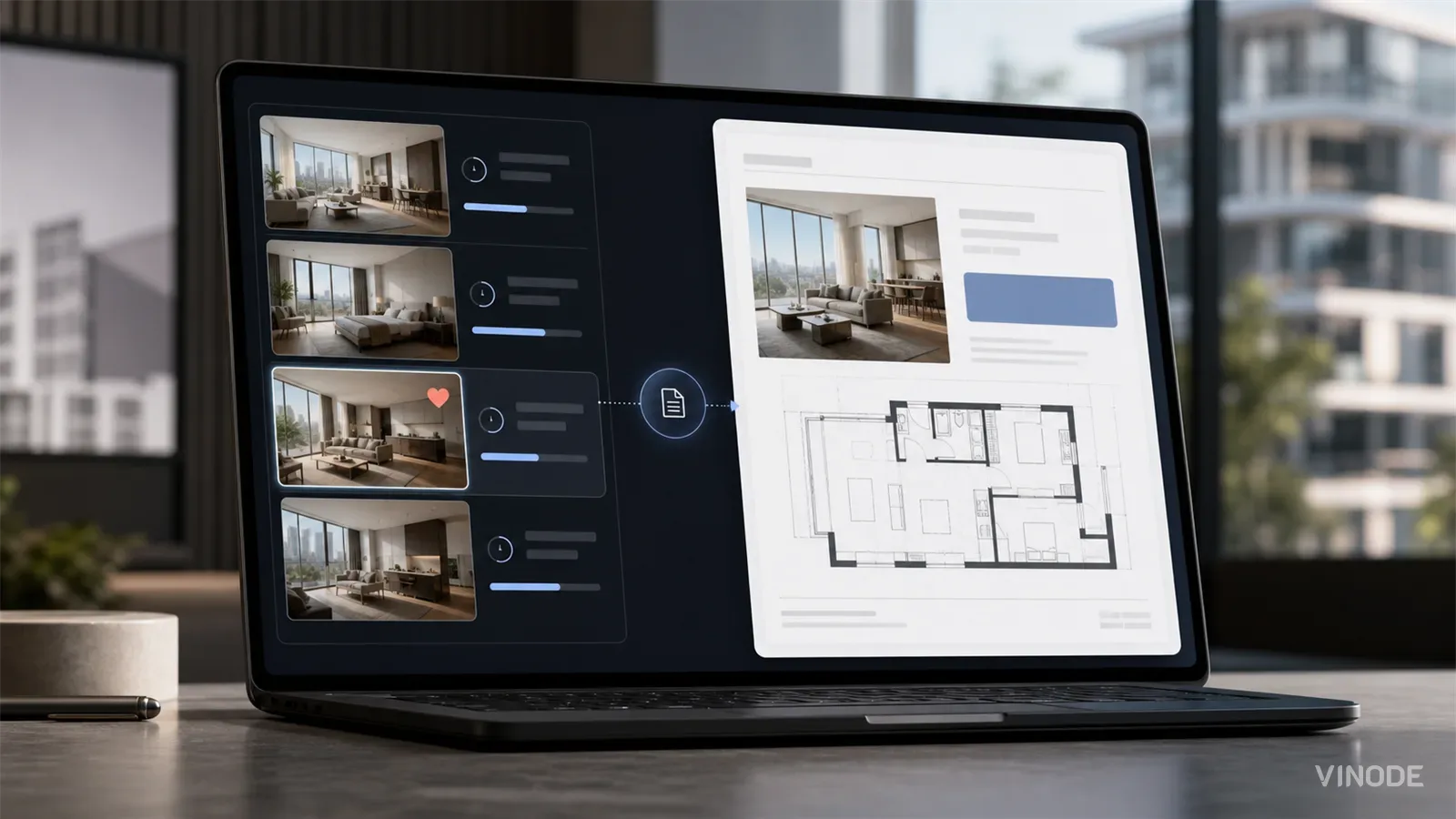
The Unit-Specific PDF a Buyer Actually Asked For
A buyer spends nineteen minutes on one two-bed, saves it, and gets the forty-one-page development brochure the next morning. Once a sales platform records the unit a buyer chose, the generic brochure becomes a decision to ignore that choice.

Expression of interest before release day: capture unit demand
640 names and no idea which side of the building they want. An expression of interest campaign pays off when the form is joined to the units each buyer explored, and each of these checks has a pass, a fail and a cost.

We measured when a pipeline crosses the presale line, not just whether it will
When GTHA opening-quarter absorption averaged 66%, the sold percentage was enough to forecast a presale crossing date. Then absorption fell to 17%. Three pipeline inputs produce the crossing date your lender asks for: stage-conversion rates, a cancellation haircut, and remaining inventory.