
How to evaluate an interactive-3D vendor: the questions that aren't about the 3D
Key Takeaways
- Time a live project yourself on a cheap old phone over cellular, since the hero demo predicts nothing about your buyer's pocket.
- The rendering method decides old-phone stutter, offline kiosk survival, and whether the hosting bill grows with every concurrent viewer.
- Owning your leads means getting the export format and your exit rights written into the contract, not just seeing an export button.
- Name the one party accountable when the render, floor plan, CRM, and public site disagree about a unit.
On the vendor's laptop, the 3D looked extraordinary. The camera swept across the towers, a floor plan expanded on tap, a unit turned from grey to sold as the salesperson clicked, and the office fibre never blinked. Two weeks later the same experience opened on a buyer's three-year-old Android, in a sales trailer with one bar of signal. It took eleven seconds to show anything, then stuttered. The developer had signed on the strength of that first demo. The demo had told them about a gaming laptop, and almost nothing about their buyers.
A vendor demo, run on the vendor's machine over the vendor's connection, reliably predicts one thing: how the product performs on that machine. It says nothing about the phone in your buyer's pocket. So treat what follows as a checklist you run on any interactive-3D vendor, Vinode included, and notice how little of it is about how good the 3D looks. The questions that separate a strong vendor from a weak one all live after the demo: load behaviour on real devices, survival when the network drops, who can edit the thing, who owns the leads, and who is accountable when one layer breaks.
Reproduce it on the worst phone your buyers own
The gap between the demo and the sale is a device gap, and it only closes when you reproduce the experience yourself. Ask for a live, shipped project, open it on a mid-range Android a few years old, on cellular data with Wi-Fi switched off, and time it with a stopwatch - one timed run on a real handset tells you more than any demo reel.
Watch what those first seconds actually look like, because your buyer will. A blank screen or a spinner past the three-second mark is the moment a prospect standing at a sales desk glances up from the phone, and it is the moment your salesperson starts talking over the load, apologising for the signal, reaching for a paper brochure to fill the silence. The eleven-second hang in that trailer wasn't a technical footnote. It was eleven seconds of a closing conversation spent staring at a grey rectangle instead of the apartment, with the buyer's attention draining the whole time. Once you've watched it load, decide honestly: would you want to run a live meeting on what you just saw?
A Vinode project you can try right now is Kozielska Park in Katowice, a live residential development at mieszkania.kozielskapark.pl. Load it on mobile data and watch those first few seconds the way a buyer would.
- Get the URL of a live, customer-facing project, not a sales demo.
- Load it on a mid-range phone that's a few years old, mobile data only, one or two bars.
- Time it to first interaction, then scroll and tap for a minute and watch for stutter, heat, and battery drain.
Be wary of any vendor who will only show you the experience running on their own machine.
Distrust every hero load number, including ours
Vendors like to quote one dazzling figure. You will see "loads in under a second" and "two seconds on any device," and you should treat both as marketing until you have reproduced them. We hold ourselves to the same standard, and our own materials aren't even internally consistent: Vinode's source-of-truth product doc says two seconds, while the marketing site and one project page say under a second. Both are plausible. Neither is the number that matters to you: the p75 load time on a named mid-range Android over a throttled connection. Ask any vendor to produce that figure, or measure it yourself.
Load time isn't a vanity metric. A slower page measurably sheds visitors before it even finishes rendering, and on a lead-capture page that lost share is prospects who leave before they ever see the development. Reason enough to distrust an unreproduced load-time claim and measure your own.
The BBC's figure, cited in Google's web.dev speed guidance.
Ask how they render, because it isn't an aesthetic choice
One technical question quietly decides three commercial outcomes. The question is whether the 3D is computed live, on your buyer's device or a cloud GPU, or rendered ahead of time and streamed as video. Most checklists file rendering under visual quality, but it sits nearer the root: how a vendor renders determines whether an old phone stutters, whether the sales suite works with no internet, and whether infrastructure cost climbs every time a campaign succeeds.
A real-time engine draws each frame on whatever hardware is in the buyer's hand, so the experience is capped by that hardware: stutter on three-year-old phones, heat and battery drain on long sessions, a cold start that can run to tens of seconds. Pre-rendered, streamed video moves that compute off the device entirely. We make the full case for the tradeoff in why pre-rendered 3D beats real-time. For evaluation you only need to ask the one question, then follow where the answer leads.
The line item most checklists miss: per-user GPU cost
The rendering answer carries a budget consequence the performance conversation skips. If the 3D is streamed live from a cloud GPU, someone pays for GPU capacity that scales with concurrent viewers, so the better your launch campaign performs, the larger the hosting bill. A pre-rendered, streamed-video approach does not couple that spend to concurrency. You can size the risk before you sign: take the live per-GPU-hour rate from Google Cloud's GPU pricing (note the region and date, since these move), estimate your peak concurrent viewers at launch, and ask the vendor plainly who absorbs that cost.
Will it survive the Wi-Fi dying?
The connection drops mid-viewing, the buyer is leaning in, and the screen they were looking at freezes. Sales happen in trailers, on stands at a property expo, and inside half-finished buildings, exactly the places where signal is worst. A streamed-video experience can be packaged to run on-site with no connection at all. A live-rendered one that leans on a cloud GPU cannot, because the thing drawing the picture lives somewhere else. Confirm it the blunt way: unplug the router and see whether kiosk mode holds.
The room where you close deals is the one place you cannot assume a connection.
Editing: your own team, or a support ticket for every price change
If every edit is a support ticket, you will be paying the vendor to change your own prices for the life of the project, and moving slower than the market you are selling into. Most of a project's life happens after launch: a unit sells, a price moves, a render needs swapping, a phase releases. So settle before signing: can your sales and marketing team make those changes without a developer in the loop? Vinode's answer is a no-code editor where teams change pricing, swap images, and adjust lead forms directly, with live multi-user editing; it is rolling out, with the visual page builder planned for Q3 2026, so treat it as maturing rather than fully shipped, and make every vendor run the editing flow in front of you. The listings and floor plans stay bound to the same back panel the team edits, which is how a sold flag propagates to the public page. We cover that mechanism in how interactive floor plans shorten the sales cycle, and what "then your team owns it" looks like in launching a development microsite in two weeks.
Who owns the leads and the data if you leave
This is the item buyers feel too late, once they have decided to switch and discover eighteen months of enquiries are trapped. A vendor that captures names, phone numbers, viewing history, and pipeline stage is holding an asset that is yours. Vinode's back panel captures exactly that, and an async data export exists. Whether that export is something you control or a favour you have to ask for on the way out is the part no polished UI answers on a call.
Before signing, get in writing: the export format, whether export is self-serve, and what happens to your leads and unit data if you leave. An export feature is not the same as a contractual right to walk away with your data, so put the terms in the signed agreement itself.
Security and GDPR: questions for every vendor, us included
A polished product does not imply a compliant one, and this is the section where it is easiest to assume otherwise. Hand your technical evaluator a short, boring list to put to every vendor: where is the data hosted, will you sign a DPA, what are the breach-notification terms, who are your sub-processors. Ask us the same. To be straight about our own posture: Vinode documents purpose-based consent management, GDPR anonymisation and erasure, and outbound email with sending-domain verification. Vinode does not publish a SOC 2 or ISO 27001 certification, a hosting region, or a standard DPA, so if those matter to you, make them explicit questions rather than assumptions, for us and for anyone else on your shortlist. Treat a missing answer from us exactly as you would treat it from any other vendor on the list.
One throat to choke, when four layers have to agree
Buying the render, the CMS, the CRM, and the website as four best-of-breed pieces feels like the professional, low-risk choice. We think that instinct is usually wrong for a sales launch: four best-of-breed tools mostly move the integration risk onto you, and a buyer standing at a desk does not care which of your four vendors is right about a unit's status. When the floor plan says a unit is available, the CRM says it is reserved, and the public site says it is sold, four vendors will each point at the other three, and you will own the reconciliation. Ask who is the single accountable party across all four layers. Vinode delivers the 3D, the interactive floor plans, the back panel, and the site as one stack from one team, which is a deliberate answer to that failure mode.
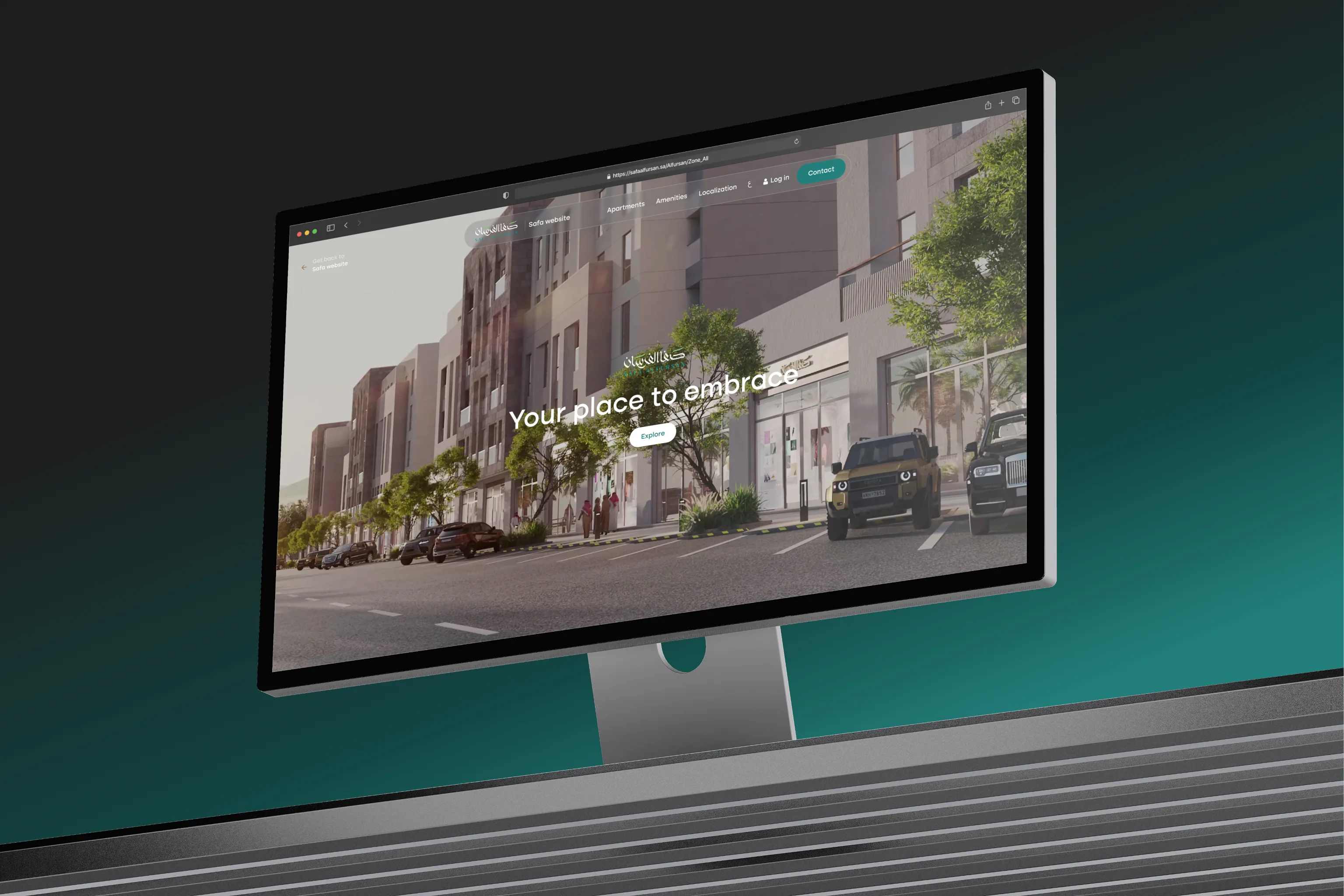
Rather than take "handles a project your size" on faith, ask for named projects at your scale, and confirm the delivered bundle matches what you actually need.
What handling scale looks like in practice
Safa Al Fursan
Riyadh: 67,000 m², 25 buildings, 528 units, delivered as 3D scene, back panel, website, and mobile app.
St. Gallen
Switzerland: 110 rental apartments with a live, filterable inventory bound to the back panel.
+Colonia
Colonia, Uruguay: a 515-hectare smart-city development rendered and streamed as one experience.
When this checklist does not apply to you
Selectivity keeps a checklist honest, so here is where most of it is the wrong tool. If you are selling a single trophy penthouse and control the exact hardware in the room, a bespoke real-time walkthrough on a machine you own is a fine choice, and the device-reach test barely matters. If your buyers will never open the experience on their own phones, load-on-old-Android drops down the list. If the project is an internal visualisation with no lead capture at all, the data-ownership and security sections mostly fall away. Run the items that match your reality, and skip the ones that do not without guilt.
The checklist, condensed
Run these in the order of how much you will regret skipping them:
- Reproduce a live project on real buyer hardware, on cellular, and time it yourself instead of trusting the hero number.
- Ask how they render, and follow the answer to old-phone performance, offline survival, and per-user GPU cost.
- Unplug the router and confirm it still runs in kiosk mode.
- Confirm your team can change pricing and units without a developer.
- Get the lead-and-data export format, and your right to leave with it, in writing.
- Put the security questions to every vendor, and judge them on the answers you get back.
- Name the single party accountable when the render, CMS, CRM, and site disagree.
Work the items in that order, and drop the ones that don't fit your project.
Run this checklist on us
Open a live Vinode project on the most ordinary phone in your office, then bring us the hard questions.


How to Move a Live Property Launch Off a Spreadsheet
Three weeks from launch, new enquiries were going into a spreadsheet tab called new leads 2. Move new leads and current unit data first, let old deals finish where they started, and leave the historical import until later.

AI Property Imagery in 2026: A Trust and Governance Playbook for Developers
A label tells buyers that AI touched an image. It cannot tell your team which design revision supports the image, who approved its claims, where it is live, or how to withdraw it.
How to commission a development flythrough (and what to measure)
A sales director is asked by his board which reservations the launch film brought in, and cannot name one. What a flythrough can actually do, how to commission it so a later design change is one re-rendered shot, and what to measure instead of views.